Recommendations
Overview
Recommendations are AI-generated opportunities based on your sales data. Our advanced AI and machine learning models analyze account purchase history to identify products they are likely to buy next. Each recommendation is tied to a specific account and product, and users can act on them and track those actions through Interactions.
If your instance is integrated with SugarAI, recommendations are synced from sales-i to the Recommendations module. Refer to the sales-i SugarAI Integration guide for more information on working with recommendations in SugarAI.
This guide covers:
Working with Recommendations
Understanding Recommendation Fields
Each recommendation includes the following fields, providing key information about the potential opportunity:
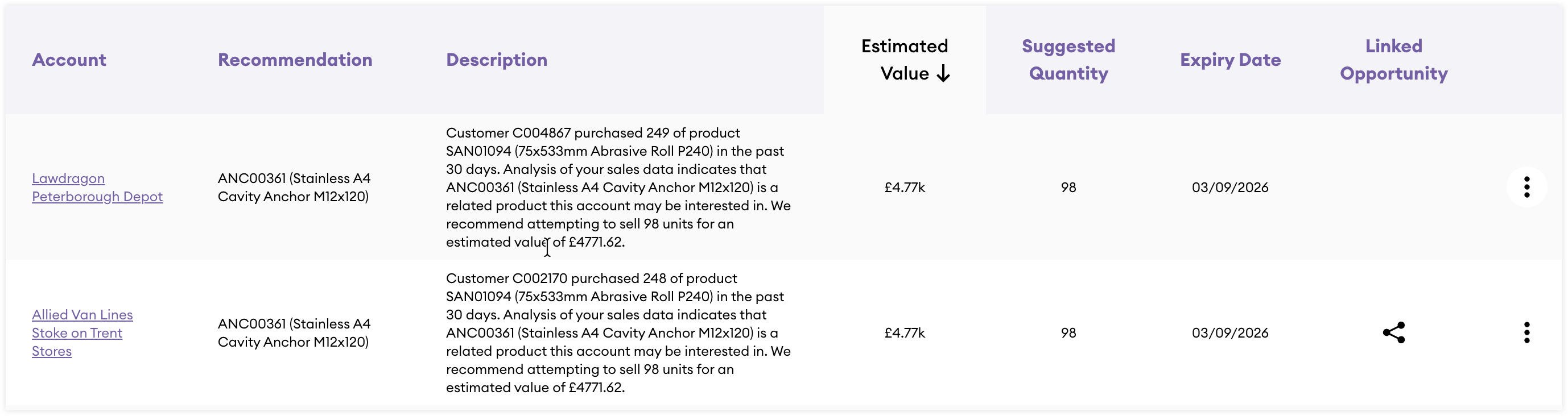
| Field | Description |
| Account | The name of the account. This can be clicked to navigate to the account record view. |
| Recommendation | The ID and name of the product being recommended to sell to the related account. |
| Description | A description providing additional details on the recommendation. |
| Estimated Value | The estimated value of the recommendation which is the average unit price of the product multiplied by the suggested quantity. |
| Suggested Quantity | How many of the recommended product you are recommended to sell. This is based on our models analyzing your account's buying patterns. |
| Expiry Date | The date the recommendation will expire. |
| Linked Opportunity | This column will display a link icon if the recommendation has been converted to an opportunity. Clicking the link will take you to the related opportunity record. |
Actioning Recommendations
Wherever a recommendation appears in sales-i, you can hover over it and click the three-dot menu for access to the following actions:
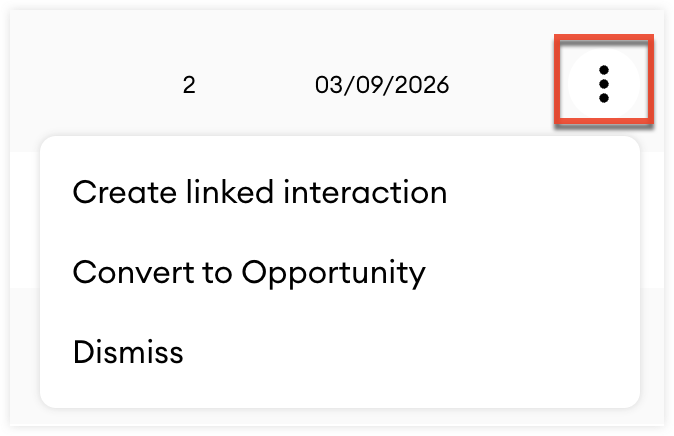
| Option | Description |
| Create linked interaction | Create an interaction related to the recommendation. Refer to the Interactions guide for more information on working with interactions. |
| Convert to Opportunity | Create an opportunity related to the recommendation. The recommendation details will be visible on the opportunity record view. |
| Dismiss | Dismiss the recommendation if it is not valid, removing it from all views. |
Viewing Recommendations
Once a recommendation is created, it is displayed in key areas across sales-i, making it easy to view and manage your recommendations.
Home Dashboard
The Recommendations section of your home dashboard displays all of your recommendations.
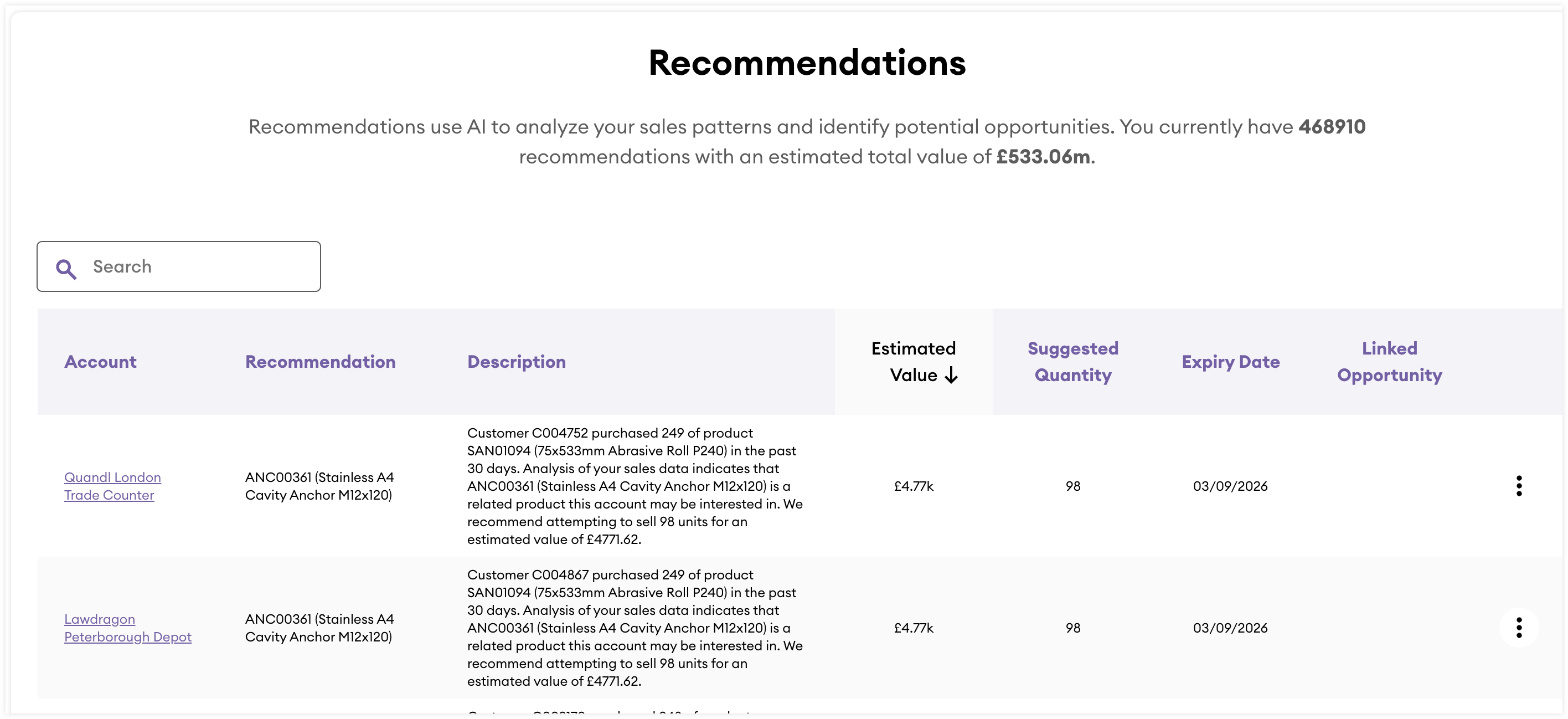
From this view you can:
- Search for recommendations by the account and recommendation name using the search bar.
- Sort the Account and Estimated Value columns by descending or ascending order.
- Navigate to linked opportunties if the recommendation has been converted an opportunity.
- Click the three-dots menu to take action on the recommendation.
Account Record
If an account has associated recommendations, they will appear in the Recommendations section on the Overview and Opportunities tabs of the account's record view.
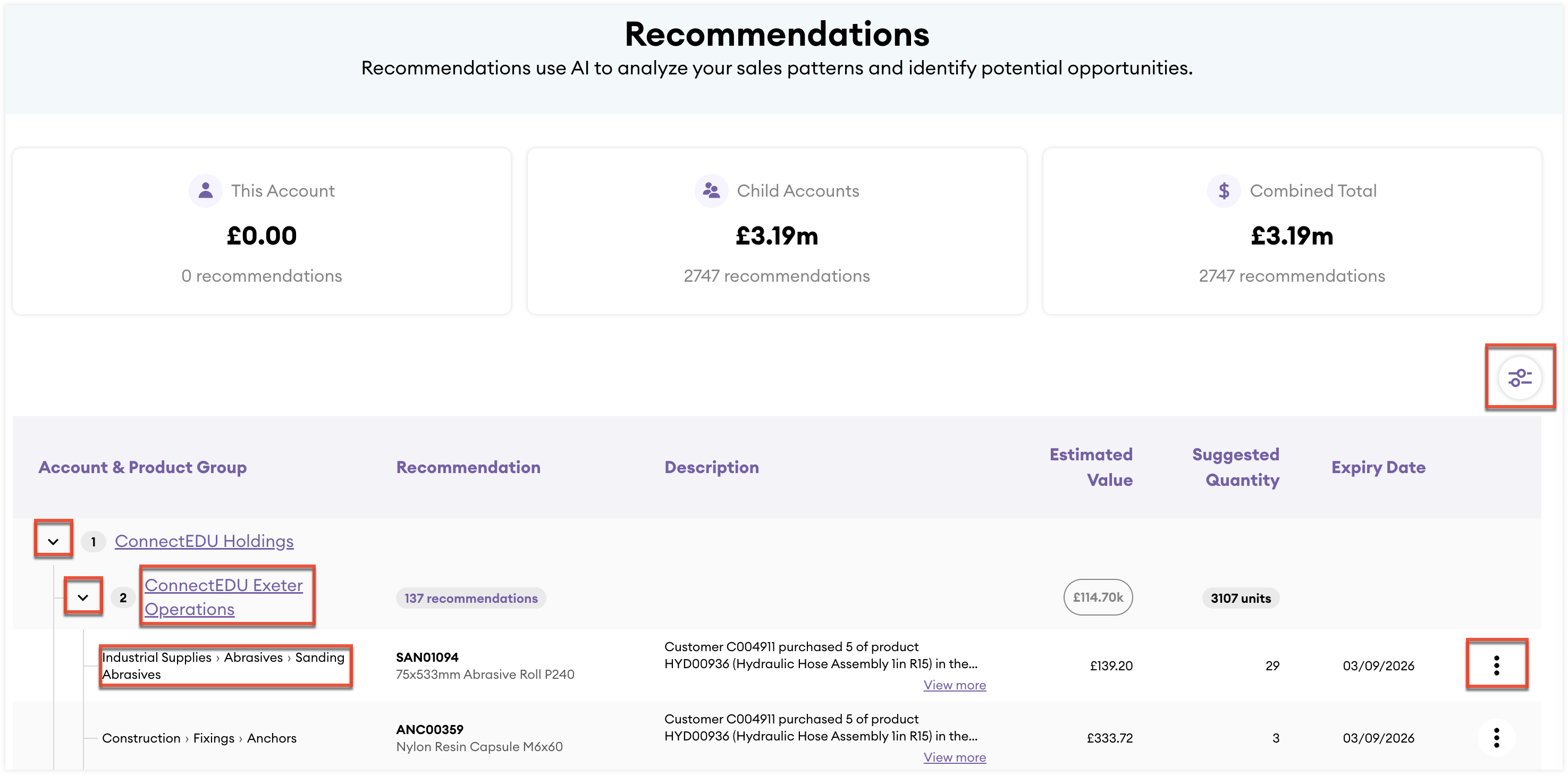
From these views you can:
- View the total estimated value of recommendations from the metric cards at the top of the section, across three levels: the account, child accounts, and both combined.
- View all recommendations for the account and all child accounts.
- View the product group hierarchy for each recommendation.
- Expand and collapse the account and child accounts in the list.
- Click child account names to navigate to that account record.
- Click the filter icon to filter the list by account and product group.
- Click the three-dots menu to take action on the recommendation.
Account Snapshot Summary Report
If an account has associated recommendations, they are displayed in the interaction history section of the account snapshot summary report.
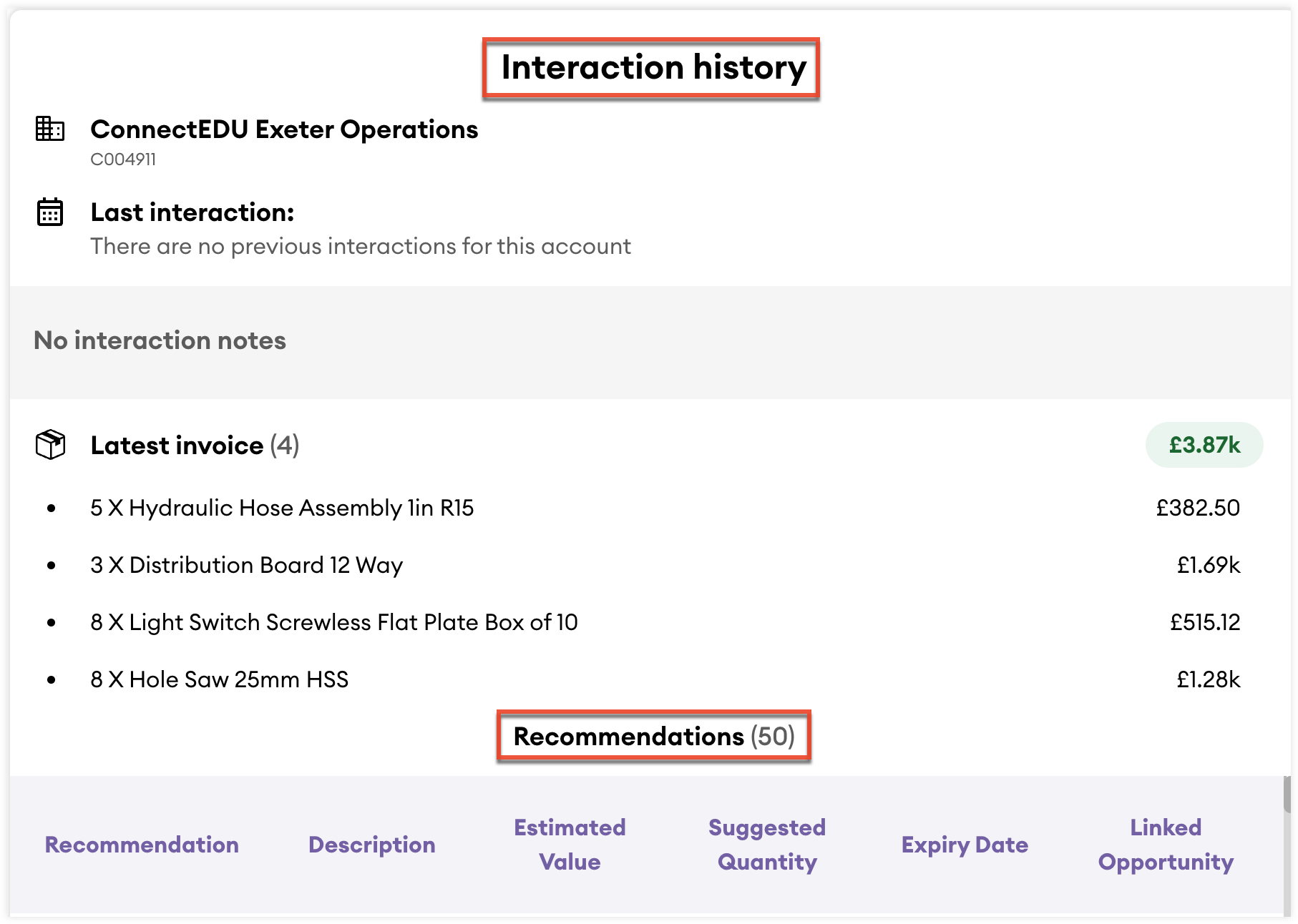
From this view you can:
- Sort the Estimated Value column by descending or ascending order.
- Navigate to linked opportunties if the recommendation has been converted an opportunity.
- Click the three-dots menu to take action on the recommendation.
Prerequisites
To generate recommendations, your instance must have sufficient sales data for the system to identify product associations. This requires at least 12 months of sales data, with an average of at least two different products purchased per account. The number of recommendations generated will still depend on your specific sales data.
How Recommendations are Generated
After your instance meets the required prerequisites the recommendation process runs every time we ingest your ERP data which is typically once a day. Here is an overview of how recommendations are generated by our models:
- The last 365 days of sales data are analyzed and aggregated monthly to identify product association patterns where accounts frequently purchase products together.
- The last 30 days of account sales are then reviewed. If an account has purchased one product in an identified association but not the related product, a recommendation is created.
- Invalid products are excluded from recommendations. This includes products excluded in your Associations settings, as well as common invalid items containing terms such as delivery, delivery charge, charge delivery, promotional, carriage charge, carriage, charge, freight charge, freight carriage, freight, rebate.
- Once a recommendation is created:
- If the related product association is updated, such as changes to suggested quantity or estimated value, the recommendation is updated accordingly.
- If the associated product is sold to the related account before the expiry date, the recommendation is marked as “Won.” “Won” recommendations appear only in the “Won” tab on the Opportunities card of the account record.
- If the recommendation reaches its expiry date before the associated product is sold, it is deleted. The default expiry window is 30 days.