Troubleshooting Discrepancies Between Active User Counts
Overview
Sometimes you may see a disparity between the number of active users in your instance listed in Admin > User Management and the number in Admin > Sugar Identity > View Users. You may also see a difference between both of these numbers and the number of available licenses you have used.
Support Users
One thing to consider is that there may be user records for Sugar support use under the username SugarCRMSupport. These user records do not count against your total number of licenses and may explain the disparity. To ensure these records are excluded from your count, you can create and run a custom query in Advanced Reports > Create Custom Query by pasting the following query into the Custom Query field, then selecting "Create".
Query:
SELECT count(*) FROM users WHERE status = 'active' AND sugar_login = '1' AND deleted = '0' AND user_name != 'SugarCRMSupport';
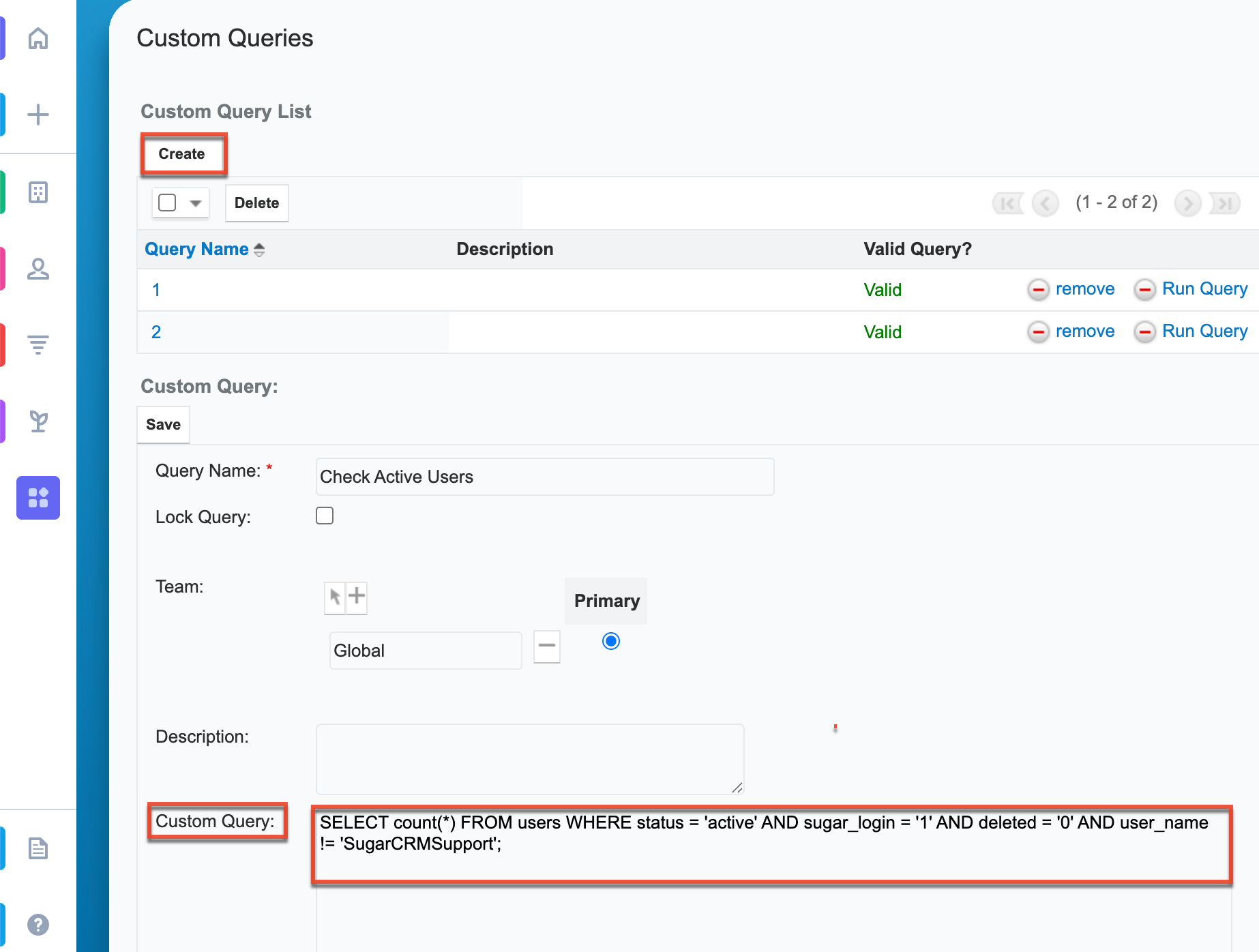
This will return the number of active users in the instance while excluding support users.
Discrepancies between User Management and Sugar Identity
There may be times when there is a difference between the amount of active users listed in User Management and those listed in Sugar Identity. If the difference cannot be attributed to a Sugar Support user, there are steps an administrator can take to address the issue.
If Sugar Identity shows more active user records than User Management, locate the user(s) in Sugar Identity > View Users who do not appear as "Active" in Admin > User Management. Change each user’s status to "Inactive" and save. Then change the status back to "Active" and save again. If a license is available for the user(s), this will correctly update their status in Admin > User Management.
If User Management shows more active user records than Sugar Identity, locate the user(s) in Sugar Identity > View Users who are marked "Active" in Admin > User Management but not in Sugar Identity. Change each user’s status to "Active" and save. Then change the status back to "Inactive" and save again. The updated status should now be correctly reflected in Admin > User Management.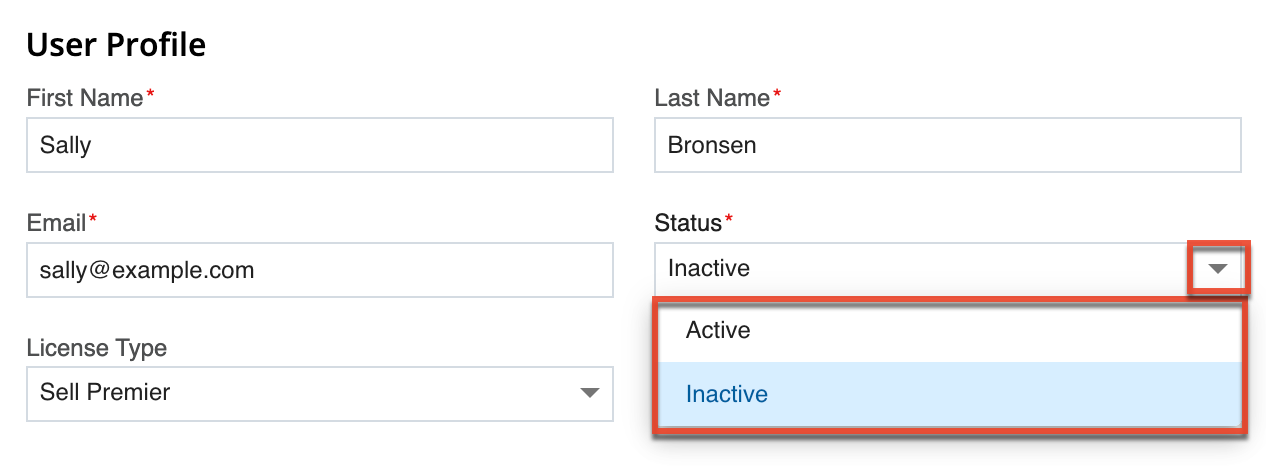
If you've taken the steps above and are still experiencing issues, please contact Sugar Support.
This article was created based on a SugarClub post made by Michael Carrino.