What to Expect When Upgrading to 26.1
Overview
Upgrades to Sugar 26.1 are available or required for instances according to the following guidelines:
- All instances hosted on Sugar's cloud service will be upgraded to 26.1.
- On-site 25.1.x instances have the option to upgrade to 26.1.
When preparing for your upgrade or deciding whether or not to upgrade, please keep in mind that there are some key features of 25.1 that have changed or may no longer be available in Sugar 26.1.x. Some of the items that are unavailable in Sugar 26.1.x may be made available in a future release. To help provide you with the necessary information, this article covers what to expect when your instance is upgraded from 25.1.x to 26.1.x.
For information regarding new functionality available in 26.1.x, please refer to the release notes specific to your CRM solution licenses (e.g., Sugar Serve):
For assistance with upgrading an on-site instance, refer to the 26.1 Installation and Upgrade Guide and Sugar 25.2 to 26.1 Migration Guide.
Feature Disparity Between 25.1.x and 26.1.x
25.1.x features in the following categories have changed in 26.1:
Please refer to the sections below for further information on the changes.
Administration
| Feature | Sugar 25.1 Behavior | Sugar 26.1 Behavior |
| Dropdown editor converted to Sidecar user interface | The dropdown editor uses Sugar's legacy user interface. | The dropdown editor is converted to a Sidecar user interface. |
| Sugar Self-Service Center | Sugar Self-Service Center is a Sugar offering with a dedicated API. | Sugar Self-Service Center no longer a Sugar offering and the "kiosk" API platform has been removed. |
| Categories module added to Role Management | The Categories module-level restrictions are controlled by the permissions set for the Knowledge Base module in Admin > Role Management. | The administrator can enforce restrictions for the Categories module as it is available to configure via Admin > Role Management. |
| Microsoft Exchange Online for system email settings | SMTP Auth is supported for Microsoft Exchange Online for certain older versions of Sugar. | SMTP Auth is no longer supported for Exchange Online. Customers using Exchange Online who are upgrading to version 26.1.0 from versions prior to 25.1.2 must ensure their outbound system email settings are updated after upgrading. For detailed instructions, refer to this SugarClub post. |
| Intelligence add-on | For instances activated with SugarCRM's Intelligence add-on features, all users can access the dashlets (e.g., AI Summary) as long as they have access to the modules related to the AI feature. |
The Intelligence add-on is now built into Sugar. After upgrading, administrators must assign the Sugar Intelligence license to users so they can access the Intelligence add-on features. |
User Interface
| Feature | Sugar 25.1 Behavior | Sugar 26.1 Behavior |
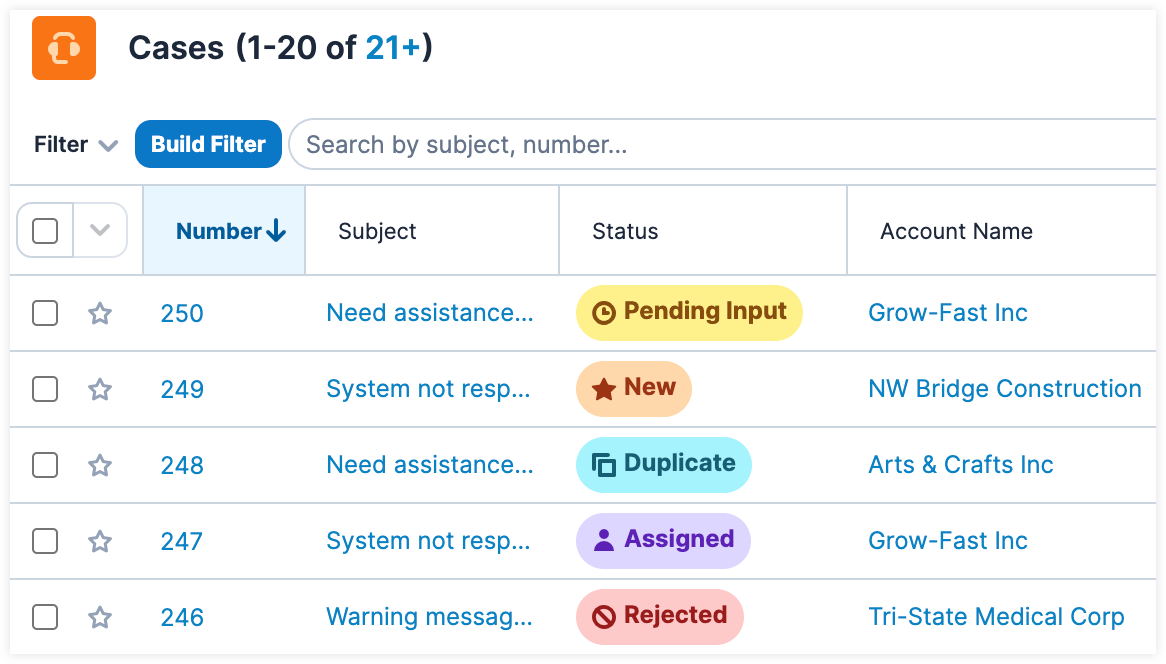
| Default Field Formatting | The Sales Stage, Quote Stage, Lead Status, and Case Status fields do not appear with any formatting (i.e., font colors, highlighting, icons). | The Sales Stage, Quote Stage, Lead Status, and Case Status fields appear with default formatting (i.e., font colors, highlighting, icons) throughout Sugar. |
| SugarOutfitters is now SugarCRM Marketplace | All relevant links and in application text refers to the SugarCRM Marketplace as "Sugar Outfitters". | All relevant links and in application text refer to the SugarCRM Marketplace by name. |
Notable Visual Differences Between 25.1.x and 26.1.x
The following section displays screenshots and brief explanations detailing some of the notable visual differences between Sugar 25.1.x and 26.1.x.
Dropdown Editor
In Sugar 25.1.x the dropdown editor uses Sugar's legacy user interface: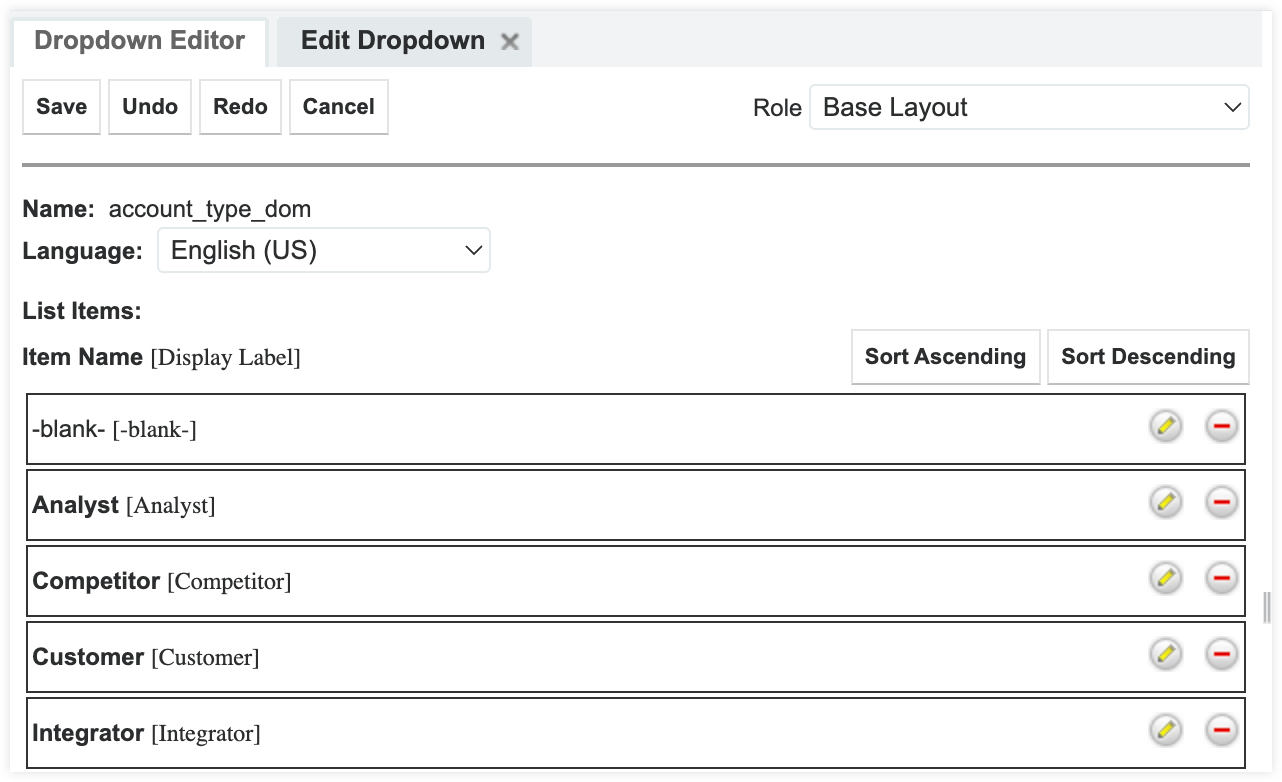
In Sugar 26.1.x the dropdown editor is updated to use Sugar's Sidecar user interface: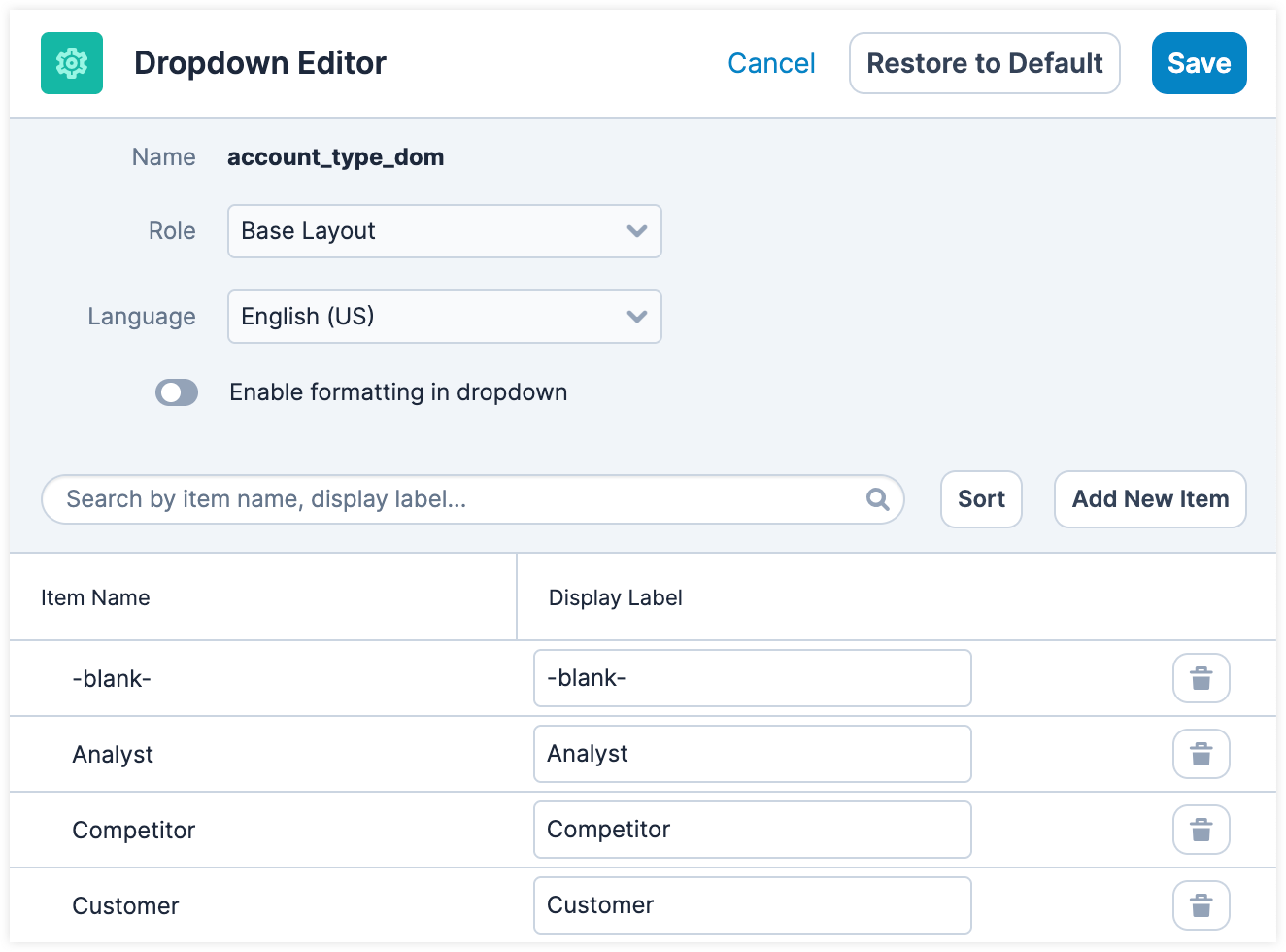
The following table provides a side-by-side comparison of important changes from 25.1.x to 26.1.x:
| Feature | Sugar 25.1 Behavior | Sugar 26.1 Behavior |
| Sort Items |  |
 |
| Add Item |  |
 |
| Remove Item |  |
 |
Dropdown Formatting
In Sugar 25.1.x, dropdown field values (e.g., Case Status) do not contain formatting: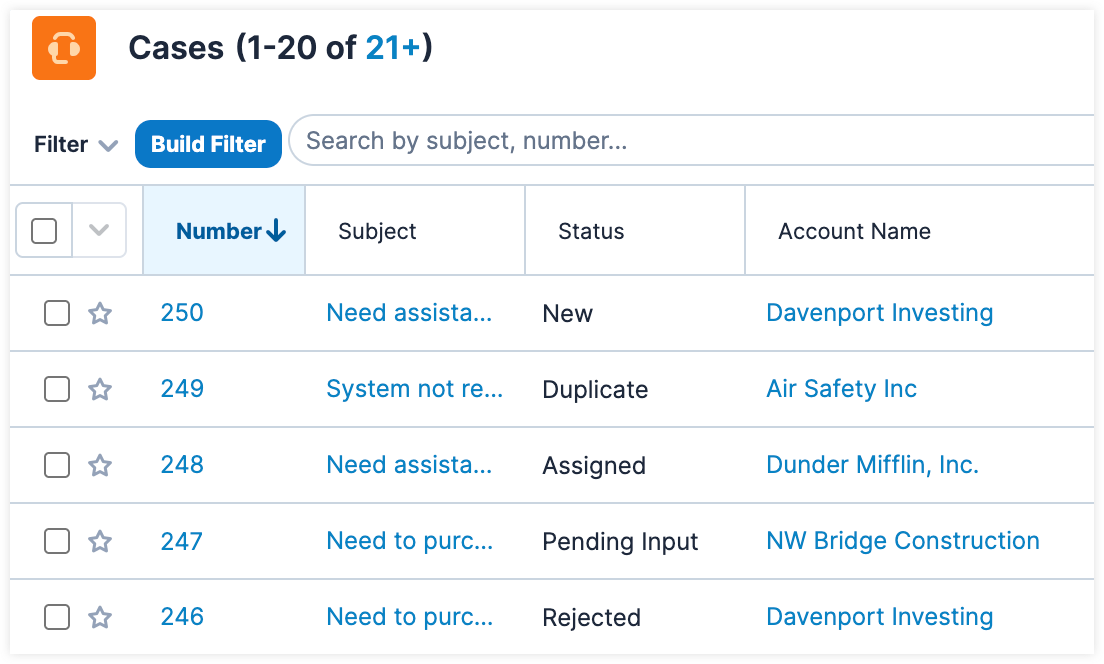
In Sugar 26.1.x, the Sales Stage, Quote Stage, Lead Status, and Case Status fields appear with default formatting: